Create multiple chart layouts, search and add symbols, apply strategies, test them on historical data, and choose between Dry Run and Live execution through your connected broker.
TrendRelay is execution and analysis software. It does not guarantee profits. Live trading involves market, execution, leverage and technology risk.
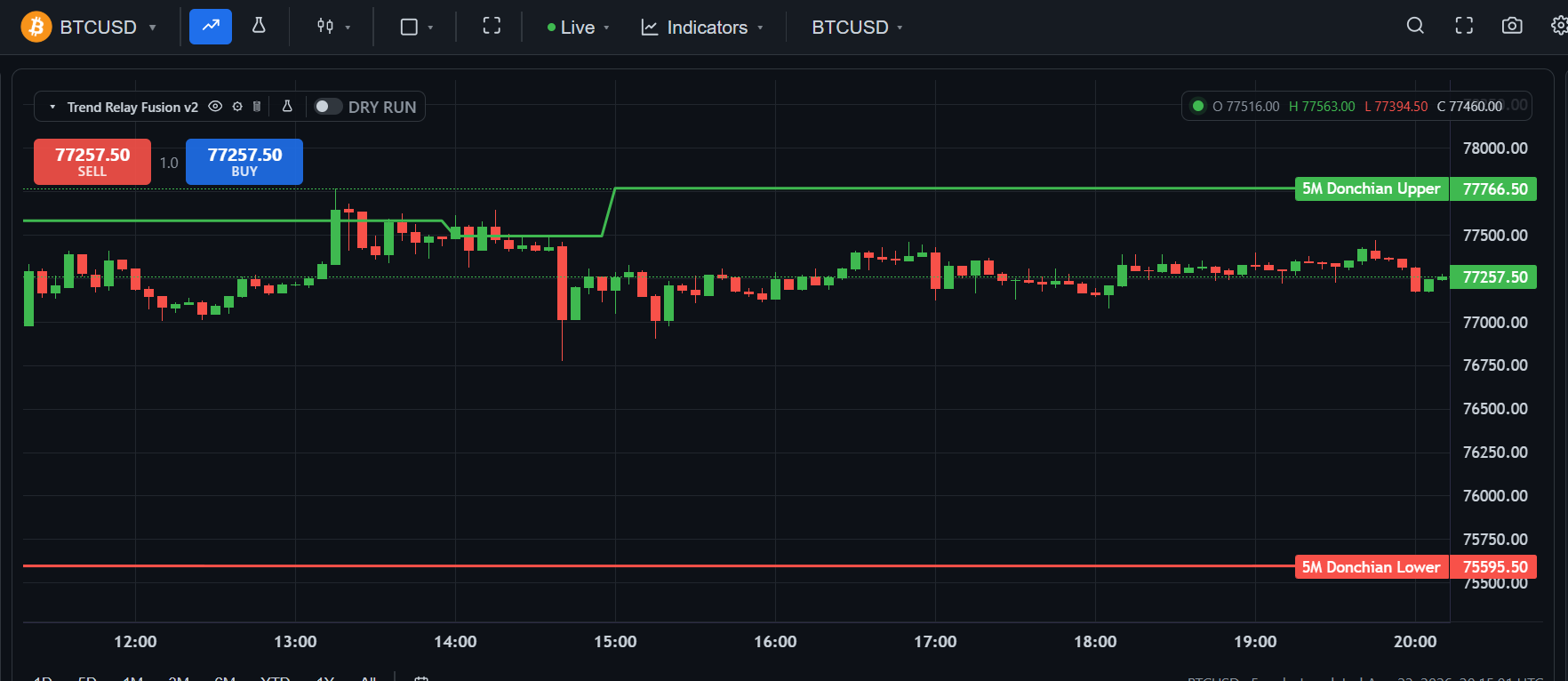
TrendRelay is designed to simplify the operational side of trading: organize charts, apply strategies, evaluate historical behavior, configure risk and automate execution.
Create multiple layouts and organize separate chart tabs for different strategies, markets or workflows.
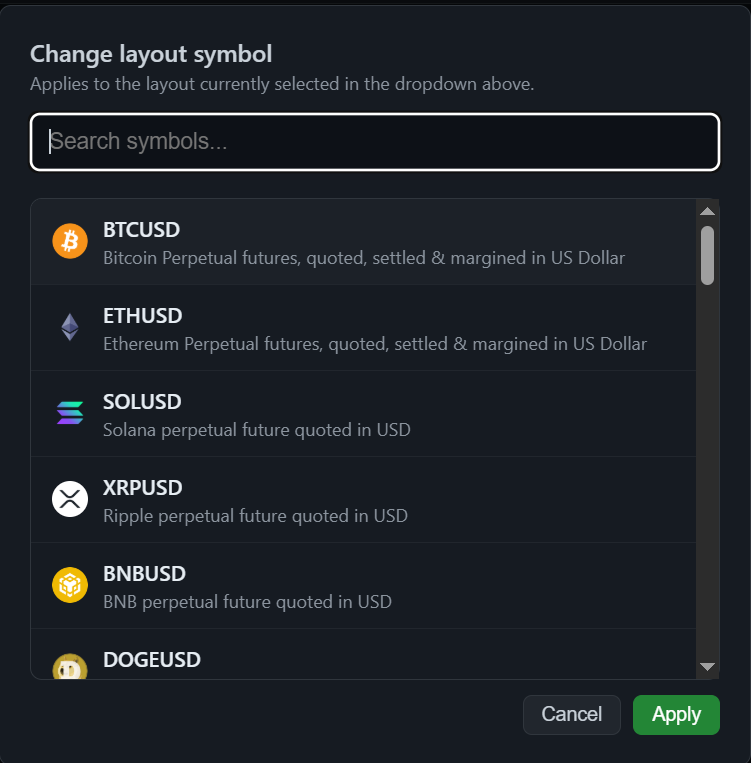
Search the symbol library and add instruments such as BTCUSD, ETHUSD, SOLUSD, XRPUSD, BNBUSD and other available markets to a layout.
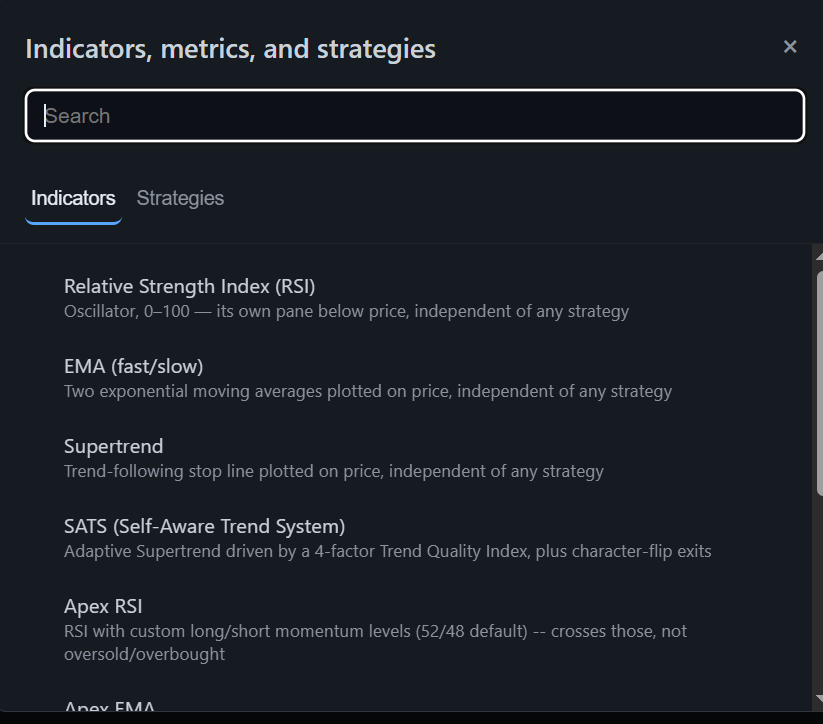
Use the indicator and strategy library to configure the trading logic you want to evaluate or execute.
Use Dry Run to simulate the configured workflow. Switch to Live when you intentionally want configured signals to send real orders through a connected broker.
Once enabled, the configured strategy can continue processing execution signals while you are away or asleep, subject to broker, exchange and connectivity conditions.
Evaluate trade execution settings using the latest 30 days of available data and use the resulting configuration as a starting point for your own review.
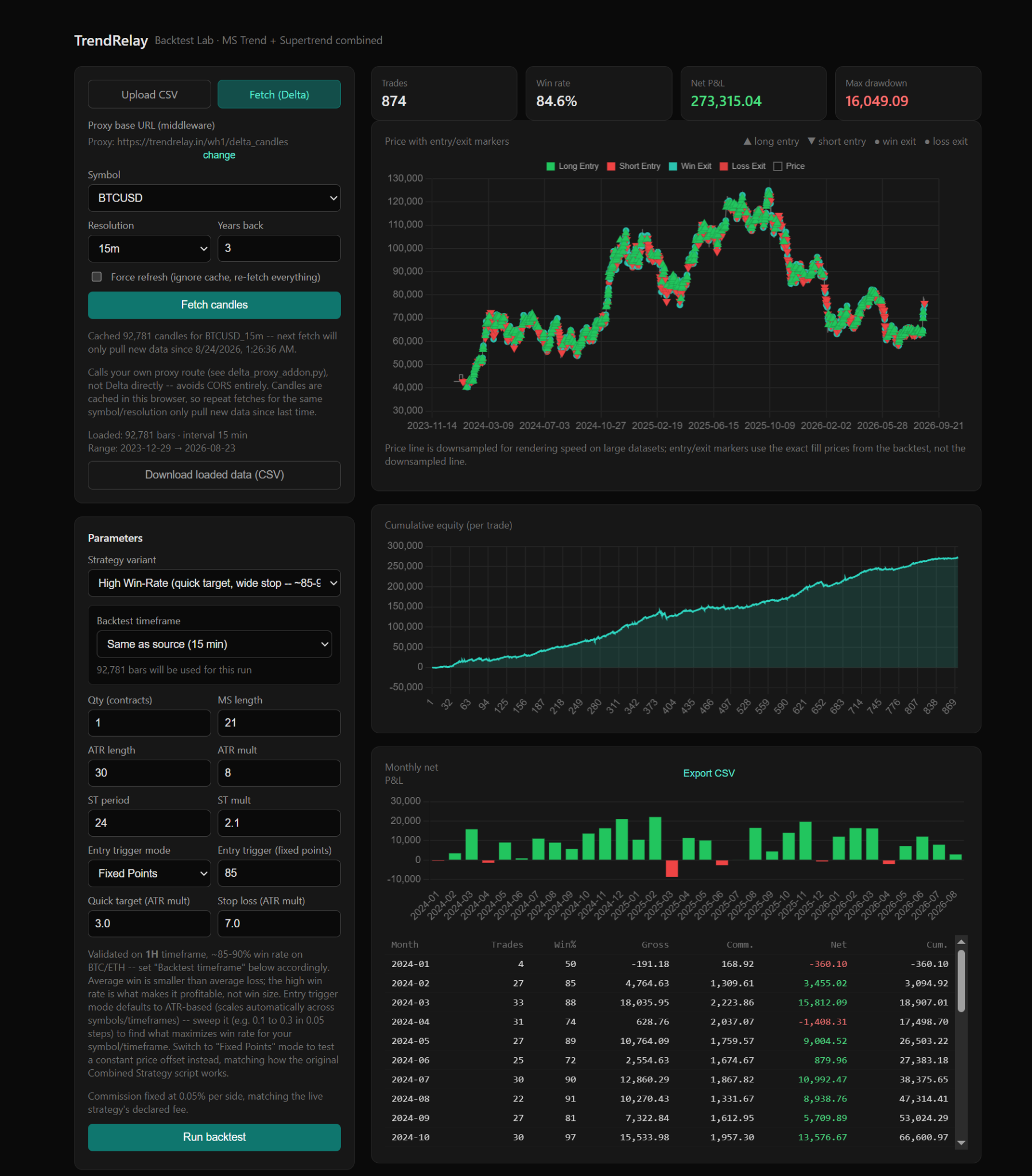
Backtest strategies on historical bars to inspect trades, win rate, equity behavior, drawdown and performance statistics before live execution.
Calculate risk-based position size, stop distance, notional exposure and indicative leverage requirements, with a leverage table showing whether the estimated liquidation move clears your strategy stop.
Configure conditional alerts within the limits of your plan to support strategy monitoring and execution workflows.
The interface is designed around familiar chart workflows, while adding automation and analysis tools around them.
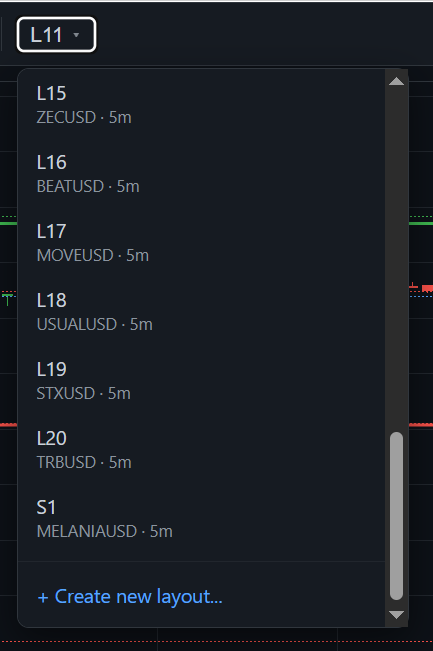
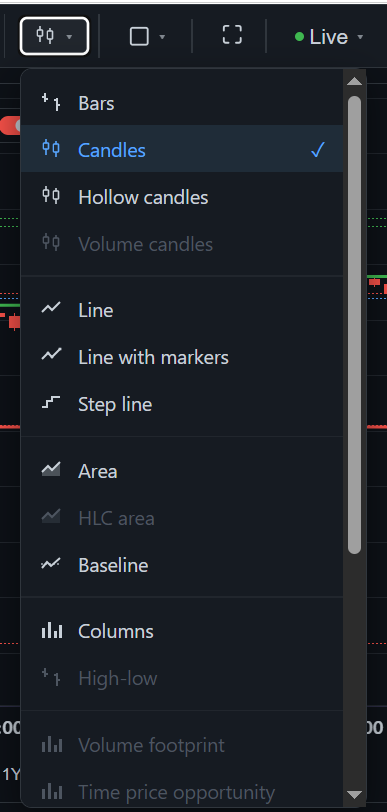
Set up a dedicated chart workspace for the strategy or market you want to trade.
Search and add your preferred instruments to the layout.
Apply indicators/strategies and define execution settings and risk parameters.
Review historical results or simulate the workflow before sending real orders.
Connect your broker and intentionally enable Live execution for configured real trades.
Review historical behavior across supported data, including trades, win rate, equity curve, monthly results and other strategy statistics. Historical performance is not a guarantee of future results.
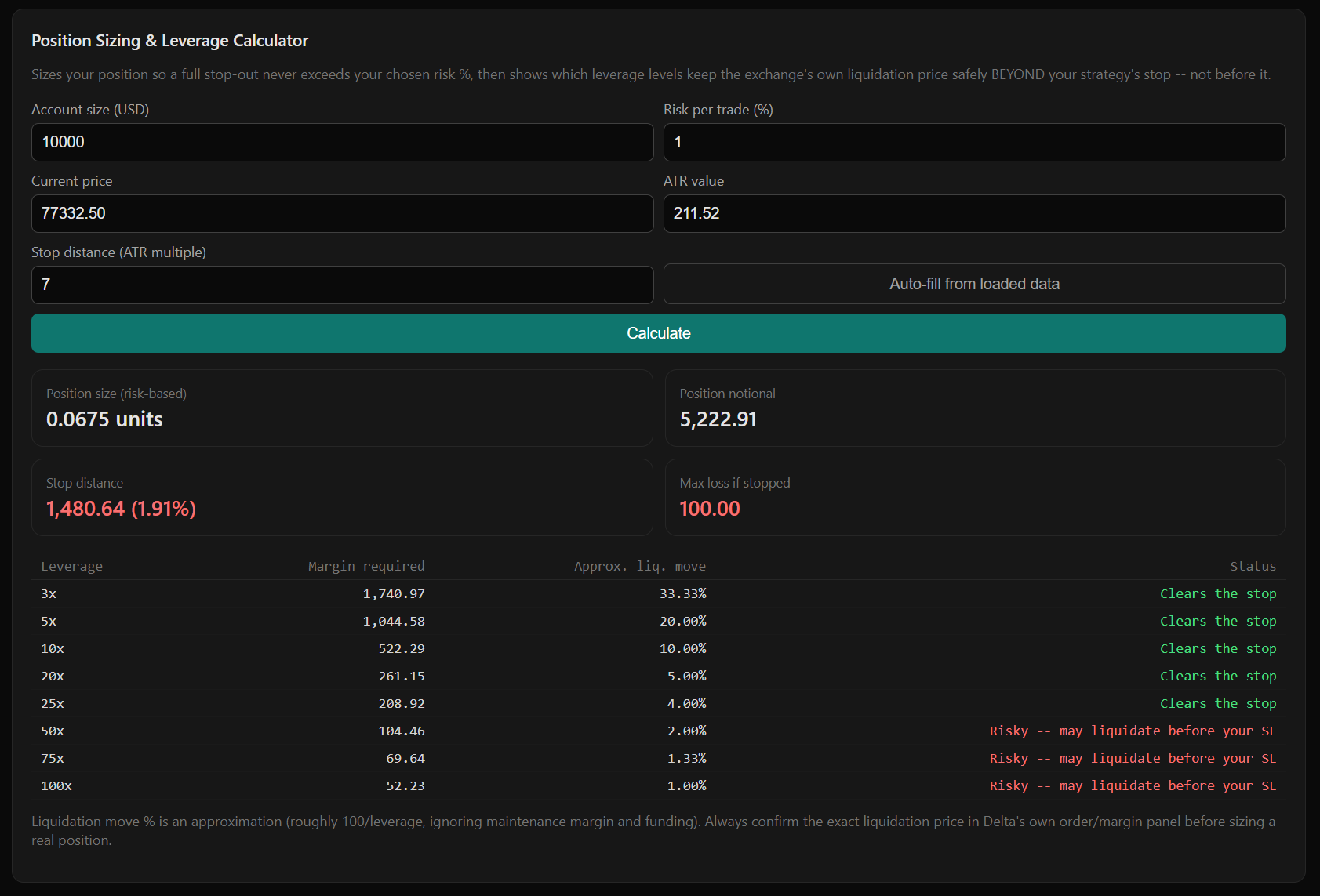
The Position Sizing & Leverage Calculator is designed to help translate account risk and strategy stop distance into a risk-based position size, while comparing indicative leverage levels against the estimated liquidation move.
TrendRelay is designed to work with supported broker/exchange integrations so your configured strategy can route execution through the account you select.
Availability, instruments, permissions and execution capabilities depend on the broker integration and your account. Never grant unnecessary withdrawal permissions to an API key.
Choose the workspace and execution capacity that fits your workflow. Annual pricing is shown as the effective monthly rate where specified in the plan details.
| Capability | Free Basic | Standard | Pro |
|---|---|---|---|
| Chart layouts | 1 | 4 | 10 |
| Indicators / strategies per layout | 1 | 2 | 5 |
| Symbol trade automation | 1 | 4 | 10 |
| Broker accounts | 1 | 2 | 4 |
| Conditional alerts | 1 | 10 | 25 |
| Backtest history | — | 1 year | 3 years |
| Volume Profile | — | ✓ | ✓ |
| Custom timeframes | — | ✓ | ✓ |
| Custom range bars | — | ✓ | ✓ |
| Auto-optimize execution settings | ✓ | ✓ | ✓ |
TrendRelay provides software for strategy analysis and execution automation. Win rate, backtest results, optimization outputs or the ability to execute while you sleep are not promises of profit or future returns.
Dry Run is for simulation. Live mode can send real orders through a connected broker. You are responsible for confirming the symbol, quantity, leverage, stop-loss, take-profit and strategy configuration before enabling live execution.
Latency, connectivity failures, exchange/broker outages, API limits, rejected orders, partial fills and slippage can affect automated execution.
Historical data, fees, slippage assumptions, parameter selection and overfitting can materially affect results. A historical strategy result may not reproduce in live markets.
Create layouts, test strategies, connect your broker and automate configured execution.
Bring your own trading logic to TrendRelay using its structured JSON format. You can use any AI model or coding assistant of your choice to turn your rules into TrendRelay-compatible JSON, then paste and save the configuration in TrendRelay.
TrendRelay does not provide or require an AI trading bot. Users may use any third-party AI model or coding assistant to generate their own configuration.
Review, validate and backtest imported JSON before enabling signals or automated execution. Third-party generated logic is the user's responsibility.
For automated execution, select one authorized broker account for the strategy. When enabled, configured signals may be transmitted to that account subject to broker, API and regulatory requirements.
TrendRelay is a technology and trading-analysis platform. It provides charting, technical indicators, custom strategy tools, backtesting, alerts and rule-based trading automation. TrendRelay does not provide personalized investment advice, portfolio management or brokerage/custody services.
Buy/Sell signals are automated outputs of configured rules and are not personalized investment recommendations. Users are solely responsible for reviewing strategies, testing configurations and making trading decisions. Trading involves substantial risk and may result in loss of capital. Backtested or simulated results do not guarantee future performance.
Where supported, users may connect their own broker account and select one broker account per strategy for automated execution. Automated trading is subject to broker, exchange, API and applicable regulatory requirements.
Read the full Risk Disclosure, Terms of Service, Privacy Policy and Refund & Cancellation Policy before using the service.